
10 Best Free AI Tools in 2026 That Can Make Your Work Easier
 as
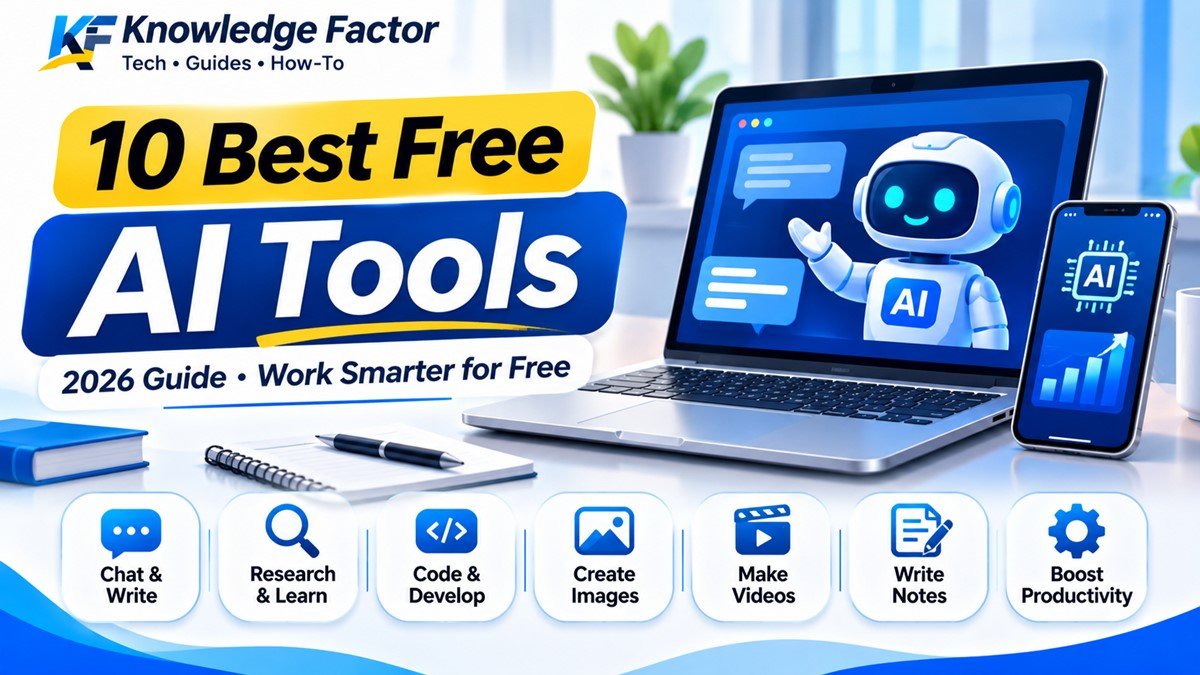
AI tools are changing the way we study, work, create content and solve everyday problems. You no longer need expensive software or advanced technical knowledge to get started. Many AI platforms offer free plans that can help you write emails, understand difficult topics, research information, create images, generate code and manage daily tasks.
The best part is that you can use many of these tools directly from your mobile phone or computer. Whether you are a student, blogger, freelancer, office worker or small business owner, there is an AI tool that can save your time.
But one important thing: not every AI tool is good for every task. Some are better for writing, some for research, and others are useful for coding or designing.
In this guide, we will explore 10 useful free AI tools in 2026, explain what they can do, share their official websites and show you how to use them with practical examples.
Quick note: Free plans usually have usage limits. Features, daily limits and availability can change, so always check the official website before depending on a particular feature.
Quick Overview: Best Free AI Tools in 2026
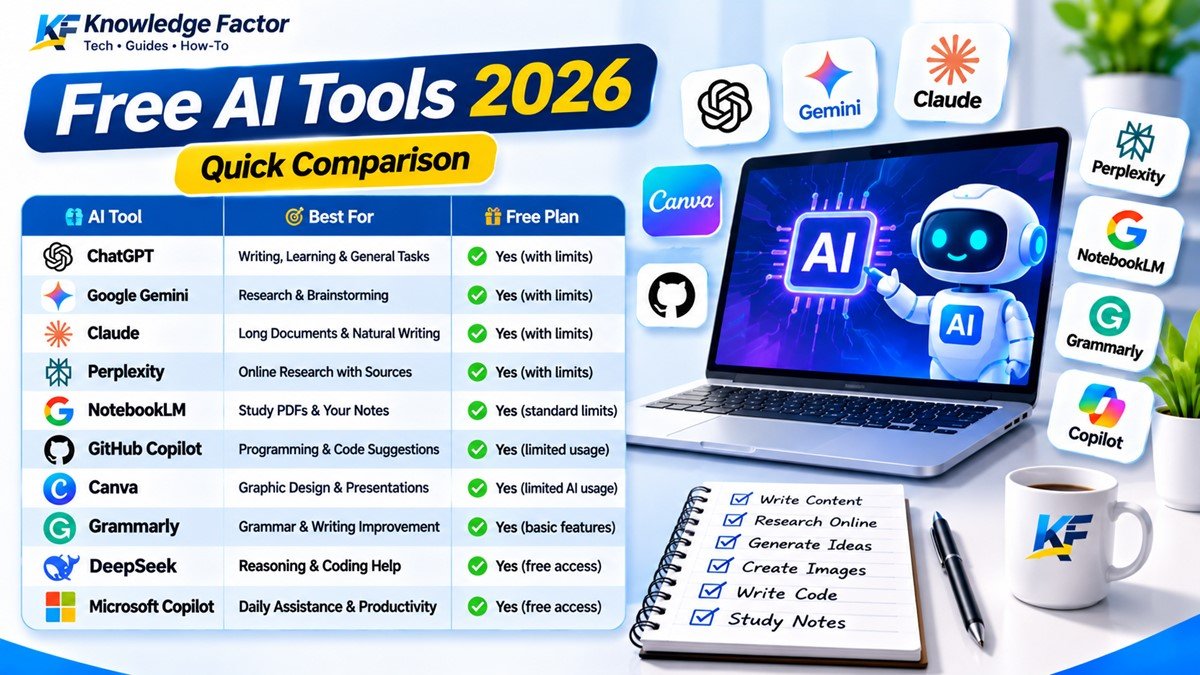
| AI Tool | Best For | Free Access |
|---|---|---|
| ChatGPT | Writing, learning and everyday tasks | Yes, with limits |
| Google Gemini | Research, writing and brainstorming | Yes, with limits |
| Claude | Long documents and natural writing | Yes, with limits |
| Perplexity AI | Online research with sources | Yes, with limits |
| NotebookLM | Studying PDFs and personal documents | Yes, standard limits |
| GitHub Copilot | Programming and code suggestions | Yes, limited usage |
| Canva AI | Graphics and presentations | Yes, limited AI usage |
| Grammarly | Grammar and writing improvement | Yes, basic features |
| DeepSeek | Reasoning, questions and coding help | Free access available |
| Microsoft Copilot | Everyday assistance and productivity | Free access available |
1. ChatGPT – Best AI Assistant for Everyday Work
If you have heard about artificial intelligence, there is a good chance you have also heard about ChatGPT. It is one of the most popular AI assistants for everyday tasks.
You can talk to ChatGPT just like you are asking a question to another person. It can explain difficult topics, help you write emails, create study plans, understand programming concepts and assist with many other activities.
For example, an Indian college student can ask ChatGPT to explain a difficult science topic in simple English or Hindi. A small business owner can use it to prepare product descriptions, customer messages and business ideas.
What can you do with ChatGPT?
Write and improve emails, articles and messages.
Understand difficult topics in simple language.
Learn programming and fix common coding errors.
Create ideas for social media posts.
Summarise text and uploaded documents.
Ask questions and explore different solutions.
Example prompt:
"Explain cloud computing in simple Indian English. Give me three real-life examples and explain how it works."
ChatGPT also offers a free plan. However, some advanced features, file uploads, image generation and other tools have usage limits. Check the current limits before using it for heavy work.
Official website:https://chatgpt.com/
2. Google Gemini – Useful for Research and Learning
Google Gemini is an AI assistant developed by Google. It can help users understand topics, prepare content, brainstorm ideas and work with different types of information.
One useful feature is that you can interact with Gemini using text, voice and images, depending on the feature available to your account.
Imagine that you are reading a complicated topic on your phone. You can ask Gemini to explain it in easier language. You can also use it to prepare an outline for a presentation or understand a programming concept.
Best uses of Google Gemini:
Explaining educational topics.
Generating ideas and content outlines.
Summarising information.
Helping with coding questions.
Brainstorming business and project ideas.
Working with images and voice-supported features.
Google offers a free Gemini option in India, although access to specific models and features depends on the plan and current usage limits.
Official website:https://gemini.google.com/
3. Claude – Best for Long Documents and Natural Writing
Claude is an AI assistant developed by Anthropic. It is useful when you need help understanding long documents, improving written content or discussing complicated ideas.
For example, suppose you have a long project report or a business document. You can provide the text and ask Claude to explain its important points in a structured way.
It can also help improve sentences, organise paragraphs and explain code.
What makes Claude useful?
Improving articles and written documents.
Summarising lengthy text.
Reviewing reports and drafts.
Explaining programming concepts.
Brainstorming ideas.
Analysing text and images.
Claude has a free plan with limited usage. Paid plans provide higher usage and additional capabilities.
Official website:https://claude.ai/
4. Perplexity AI – Best for Online Research
When you search for information online, you often have to open several websites to find a reliable answer. Perplexity AI makes this process easier by providing answers supported by web sources.
Unlike a normal search engine that mainly displays a list of links, Perplexity presents a written answer and includes citations that you can open to check the information.
For example, if you want to research the latest developments in electric vehicles, you can ask Perplexity to find relevant information and show the sources.
Best uses of Perplexity AI:
Researching current topics.
Finding information from websites.
Comparing products and services.
Collecting references for articles.
Exploring technology updates.
Checking information through cited sources.
The free Standard plan includes basic searches and a limited number of advanced searches. Some advanced models and features require a paid plan.
Official website:https://www.perplexity.ai/
5. NotebookLM – Turn Your PDFs into a Learning Assistant
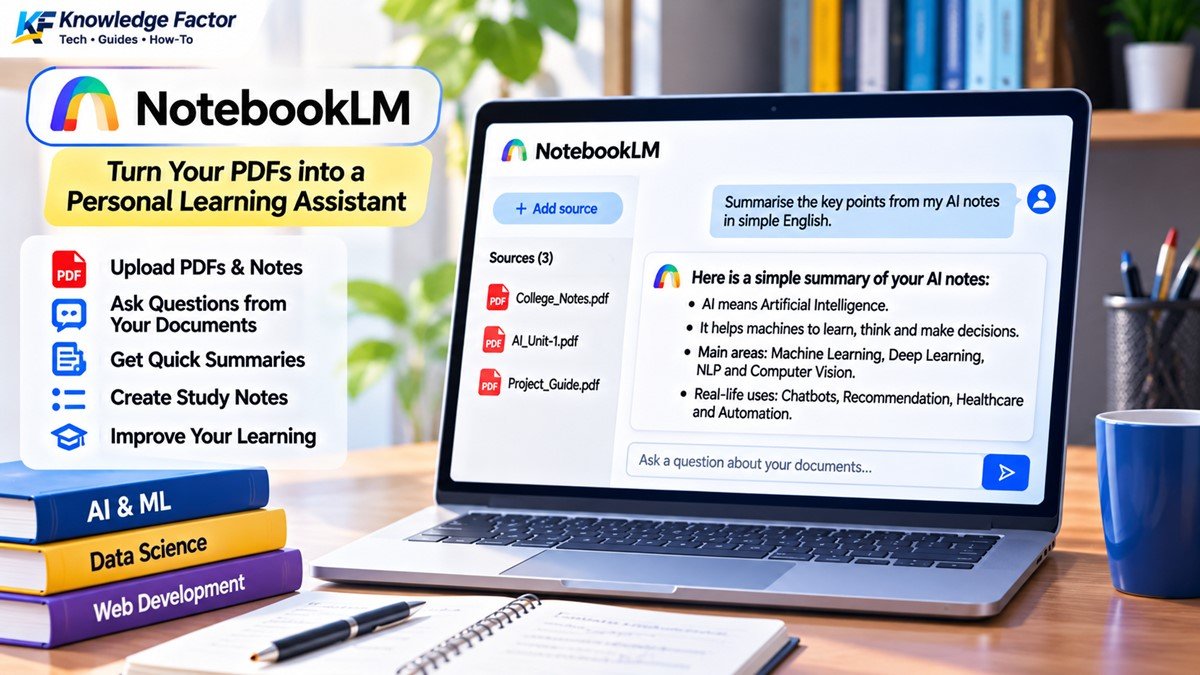
NotebookLM is a research and learning tool from Google. It is particularly useful for students, teachers and people who regularly work with PDFs, notes and other documents.
Instead of searching the entire internet, you can provide your own study material and ask questions about it.
For example, suppose you have a 100-page PDF containing your college notes. You can add it to NotebookLM and ask questions about specific topics. It can help you find relevant information from the sources you provided.
What can you do with NotebookLM?
Understand long PDF documents.
Create summaries from your notes.
Ask questions about uploaded sources.
Organise research material.
Prepare study guides.
Generate learning resources from your documents.
This can be especially helpful during exam preparation. You can keep your notes in one place and use questions to revise important topics.
NotebookLM has standard access limits, and those limits can change depending on the plan and features used.
Official website:https://notebooklm.google.com/
6. GitHub Copilot – AI Help for Programmers
If you are learning HTML, CSS, JavaScript, PHP or Python, GitHub Copilot can be a useful coding assistant.
It works with supported code editors and helps developers write code faster. It can suggest the next lines of code, explain programming concepts and assist with common coding tasks.
For example, if you are building a calculator using JavaScript, Copilot can suggest functions and help you understand errors.
Useful features:
Suggesting code while you type.
Helping understand existing code.
Assisting with debugging.
Creating code examples.
Supporting programming workflows.
Helping beginners learn programming.
GitHub Copilot offers a Free plan with limited usage. Its official plan page currently lists 2,000 code completions per month for the Free plan; chat and agent usage also have limits.
Official website:https://github.com/features/copilot
7. Canva AI – Create Designs Without Advanced Skills
Creating a professional-looking poster, presentation or social media graphic can take time, especially if you do not have design experience.
Canva makes this process easier with its design editor and AI-powered features.
You can start with a template, change the text, add images and customise the design. Some AI features can also help with writing and creative tasks.
What can you create with Canva?
Instagram and Facebook posts.
YouTube thumbnails.
Business posters.
Presentations.
Invitations and certificates.
Basic marketing graphics.
For example, a small shop owner can create a festival offer poster without hiring a professional designer.
Canva offers a Free plan in India. Its pricing page lists limited AI usage on the free plan, so some features may require an upgrade.
Official website:https://www.canva.com/
8. Grammarly – Improve Your English Writing
Writing in English is not easy for everyone. Sometimes a sentence may be grammatically incorrect, too long or difficult to understand.
Grammarly helps users improve their written English by checking spelling, grammar and clarity.
It can be useful for students, bloggers, professionals and people who regularly write emails or documents.
Best uses of Grammarly:
Checking grammar mistakes.
Correcting spelling errors.
Improving sentence clarity.
Making emails easier to understand.
Checking punctuation.
Improving the tone of written messages.
For example, you can write a simple email and use Grammarly to identify mistakes before sending it.
Grammarly has a free option with basic writing assistance. Some advanced suggestions and AI features are available under paid plans.
Official website:https://www.grammarly.com/
9. DeepSeek – Another AI Assistant Worth Trying
DeepSeek is an AI platform that can help with questions, reasoning, writing and programming-related tasks.
It can be useful when you want to explore a different AI assistant or compare the answers given by multiple platforms.
For example, if you are learning PHP, you can ask DeepSeek to explain how a database connection works or show you a basic example.
What can you use DeepSeek for?
Understanding technical concepts.
Getting programming assistance.
Solving logical questions.
Creating content outlines.
Explaining code.
Exploring different approaches to a problem.
Availability, usage limits and features can vary. Before sharing private information, read the platform's privacy terms and settings.
Official website:https://www.deepseek.com/
10. Microsoft Copilot – AI Assistance for Daily Productivity
Microsoft Copilot is an AI assistant that can help with everyday questions, writing, learning and productivity tasks.
You can use it to understand a topic, prepare a first draft, brainstorm ideas or get help with common computer-related questions.
For example, if you are preparing for an office meeting, you can ask Copilot to create a simple agenda based on the points you provide.
Best uses of Microsoft Copilot:
Drafting emails and messages.
Understanding technical topics.
Brainstorming ideas.
Preparing outlines and summaries.
Getting help with everyday tasks.
Exploring information online.
Microsoft offers free Copilot access, while some additional features and integrations may require eligible Microsoft subscriptions.
Official website:https://copilot.microsoft.com/
Comparison: Which AI Tool Should You Choose?
Choosing an AI tool becomes easier when you know what you actually need.
| Your Requirement | Recommended Tool |
|---|---|
| Writing and general questions | ChatGPT |
| Learning and brainstorming | Gemini |
| Long documents and editing | Claude |
| Research with website sources | Perplexity |
| Studying from PDFs | NotebookLM |
| Writing computer code | GitHub Copilot |
| Making posters and thumbnails | Canva |
| Correcting English grammar | Grammarly |
| Reasoning and coding assistance | DeepSeek |
| Daily productivity | Microsoft Copilot |
You do not need to install all ten tools. Start with two or three that match your daily work.
Practical AI Prompts You Can Copy and Use
An AI tool is only as useful as the instructions you give it. A vague question often produces a general answer. A clear prompt gives the AI more information about what you need.
Here are some prompts you can copy and try.
Prompt 1: For Students
"Act as a friendly teacher. Explain [TOPIC NAME] in simple Indian English. Use everyday examples, important points and five practice questions at the end."
Prompt 2: For Bloggers
"Help me prepare an original article outline about [TOPIC]. Use a simple and natural writing style. Include practical examples, useful subheadings, common questions and points that readers should know. Do not invent facts or sources."
Prompt 3: For Programmers
"Act as an experienced web developer. Explain this code line by line in beginner-friendly English. Identify possible errors and suggest improvements without changing the original functionality."
Try AI with Code: 3 Simple Practical Examples
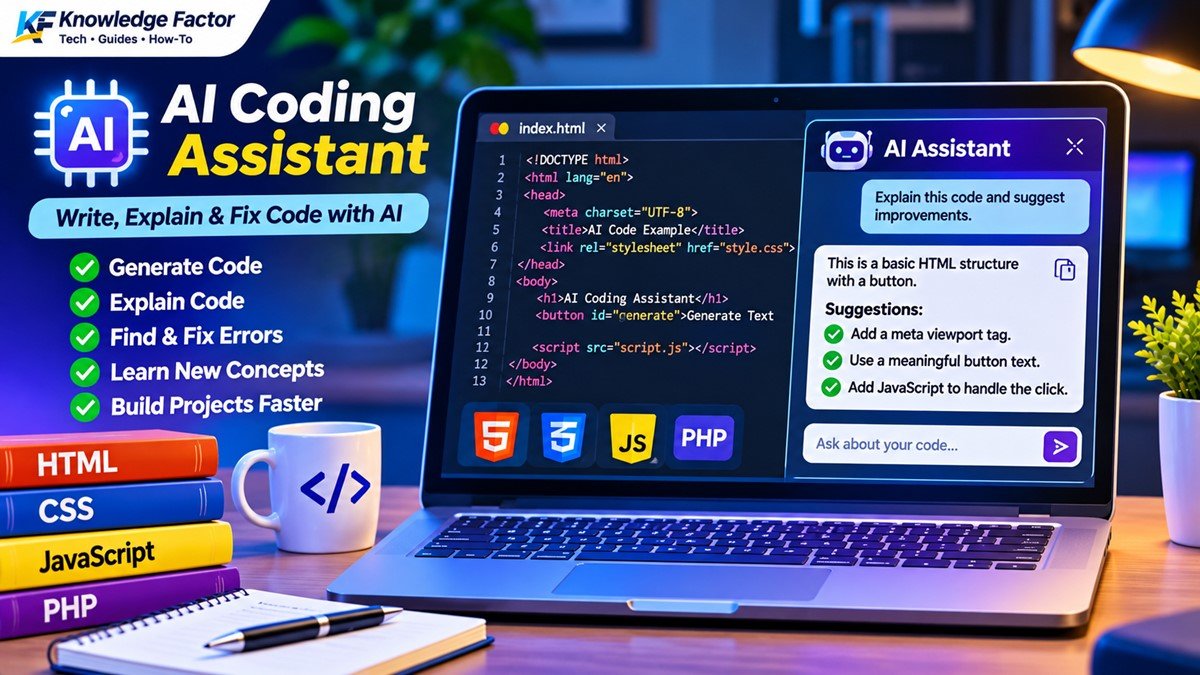
AI is not only useful for writing or answering questions. Developers can also use AI tools to create small applications and understand how code works.
Below are three simple examples that beginners can try in a browser.
Example 1: Generate a Random Password
This JavaScript example creates a random password using letters, numbers and special characters.
<h3>Random Password Generator</h3>
<button onclick="generatePassword()">Generate Password</button>
<p id="password"></p>

<script>
function generatePassword() {
    const chars =
      "ABCDEFGHIJKLMNOPQRSTUVWXYZabcdefghijklmnopqrstuvwxyz0123456789!@#$%";

    let password = "";

    for (let i = 0; i < 12; i++) {
        password += chars[
            Math.floor(Math.random() * chars.length)
        ];
    }

    document.getElementById("password").textContent = password;
}
</script>
How it works: JavaScript selects random characters from a predefined set and joins them to create a 12-character password.
Note: This is a beginner demonstration, not a secure password-management solution. For real password generation, use a cryptographically secure random generator.
Example 2: Create a Simple AI-Style Chat Interface
This example creates a basic chat interface. It does not connect to an actual AI model, but it shows how a chat window can work.
<input id="message" placeholder="Type your message">
<button onclick="sendMessage()">Send</button>
<div id="chat"></div>

<script>
function sendMessage() {
    const input = document.getElementById("message");
    const chat = document.getElementById("chat");
    const message = input.value.trim();

    if (!message) return;

    const user = document.createElement("p");
    user.textContent = "You: " + message;

    const reply = document.createElement("p");
    reply.textContent =
        "Demo Bot: You said, " + message;

    chat.append(user, reply);
    input.value = "";
}
</script>
How it works: The JavaScript reads the user's message and displays a demo response. To make it a real AI chatbot, you would need to connect it to an AI API through a secure backend.
Example 3: Use an AI API from a Website
Developers can connect an AI model to their own websites through an API. The following example shows the basic idea using a fictional backend endpoint.
async function askAI(question) {
    const response = await fetch("/api/ask-ai", {
        method: "POST",
        headers: {
            "Content-Type": "application/json"
        },
        body: JSON.stringify({ question })
    });

    if (!response.ok) {
        throw new Error("Unable to get AI response");
    }

    const data = await response.json();
    return data.answer;
}Important:/api/ask-ai is a placeholder endpoint. You must build a backend that securely communicates with your chosen AI provider. Never place a private API key directly inside frontend JavaScript.
These examples show how AI-related projects can begin with simple HTML and JavaScript and later become more advanced applications.
Are Free AI Tools Safe to Use?
AI tools can be useful, but users should understand their limitations before sharing information.
Follow these basic safety practices:
Do not share passwords: Never enter your banking password, OTP, UPI PIN or account recovery codes into an AI chatbot.
Avoid uploading private documents: Personal identity documents, confidential office files and sensitive records should not be uploaded without understanding the platform's privacy terms.
Verify important information: AI can sometimes produce incorrect answers, even when the response sounds confident.
Check website sources: When researching current information, open the cited sources and confirm the facts.
Review generated code: Test code before using it on a live website, especially when it handles user data or payments.
Check content rights: Before using AI-generated images, music or other material commercially, review the provider's terms and applicable rights.
Can You Use AI-Generated Content on a Website?
Yes, AI tools can help with research, outlining, editing and content creation. However, simply publishing large amounts of unreviewed AI-generated text is not a good content strategy.
A useful article should solve a real problem, explain the topic correctly and provide something valuable to readers.
For example, if you are writing about free AI tools, do not just list ten website names. Explain what each tool does, who should use it, what its limitations are and how readers can try it.
Add your own practical examples, screenshots, testing observations and helpful explanations. Always verify facts and make sure the final content is accurate.
Frequently Asked Questions (FAQs)
1. Which is the best free AI tool in 2026?
There is no single best AI tool for every task. ChatGPT and Gemini are useful general assistants, Perplexity is helpful for web research, NotebookLM is useful for studying documents and GitHub Copilot helps with programming.
2. Are free AI tools really free?
Many AI platforms offer free plans, but these plans usually have limits on messages, searches, credits, file uploads or advanced features. Some features may require a paid subscription.
3. Which AI tool is best for students in India?
Students can start with ChatGPT or Gemini for explanations, NotebookLM for their study material and Perplexity for research. They should use AI to understand subjects rather than simply copy answers.
4. Which free AI tool is best for coding?
GitHub Copilot is designed to assist with coding inside supported development environments. ChatGPT, Gemini and DeepSeek can also help explain code and identify programming errors.
5. Can AI tools create images for free?
Some AI platforms offer limited image-generation features in their free plans. The number of available generations and usage rights can vary, so check the current terms before using images commercially.
6. Can I use AI tools on my mobile phone?
Yes. Many AI tools are available through mobile apps or mobile-friendly websites. You can use them on Android and iPhone, depending on the platform and device requirements.
7. Can AI give incorrect information?
Yes. AI tools can produce incorrect facts, outdated information or code that does not work as expected. Always verify important information before using it.
8. Do I need to pay for AI tools?
Not necessarily. Free plans are enough for many everyday tasks. Consider a paid plan only when you regularly reach free usage limits or need a feature that is not included in the free version.
Final Thoughts
AI tools are becoming useful for students, professionals, developers, bloggers and business owners. You do not need to be a technical expert to start using them.
The smartest approach is to choose tools according to your actual requirements. Try ChatGPT or Gemini for everyday questions, Perplexity for research, NotebookLM for study material and GitHub Copilot for coding.
Remember that AI should support your knowledge and skills, not replace your thinking. Review the results, check important facts and use your own judgement before taking action.
Start with one free AI tool today, explore its features and see how it can make your daily work easier.



Comments
Abhi koi comment nahi hai. Pehle aap likhiye!